Free Shopify SEO audit

Find out what is keeping your products out of search. Every issue comes back with the fix, written for your Shopify admin and theme.

Free • No signup • Results in about 30 seconds • Shopify-specific checks

SEO checks tuned for Shopify

Shopify handles some SEO for you and leaves the rest. This audit checks both the standard signals and the Shopify-specific ones generic tools ignore.

Indexability & Crawl9/10 pass92

Page is indexable (no noindex)

No noindex directive found.

Canonical tag present and valid

Canonical points to this page.

XML sitemap reachable

The Shopify sitemap loaded successfully.

Clean redirect path

The URL redirects once before the final page.

Indexability: robots.txt, sitemap, canonical, and noindex

Shopify writes your canonical tags and generates the sitemap, but a theme edit can break either. We confirm they survived, and that a product at /collections/.../products/ still canonicalizes to the clean /products/ URL.
On-Page & Meta4/7 pass69

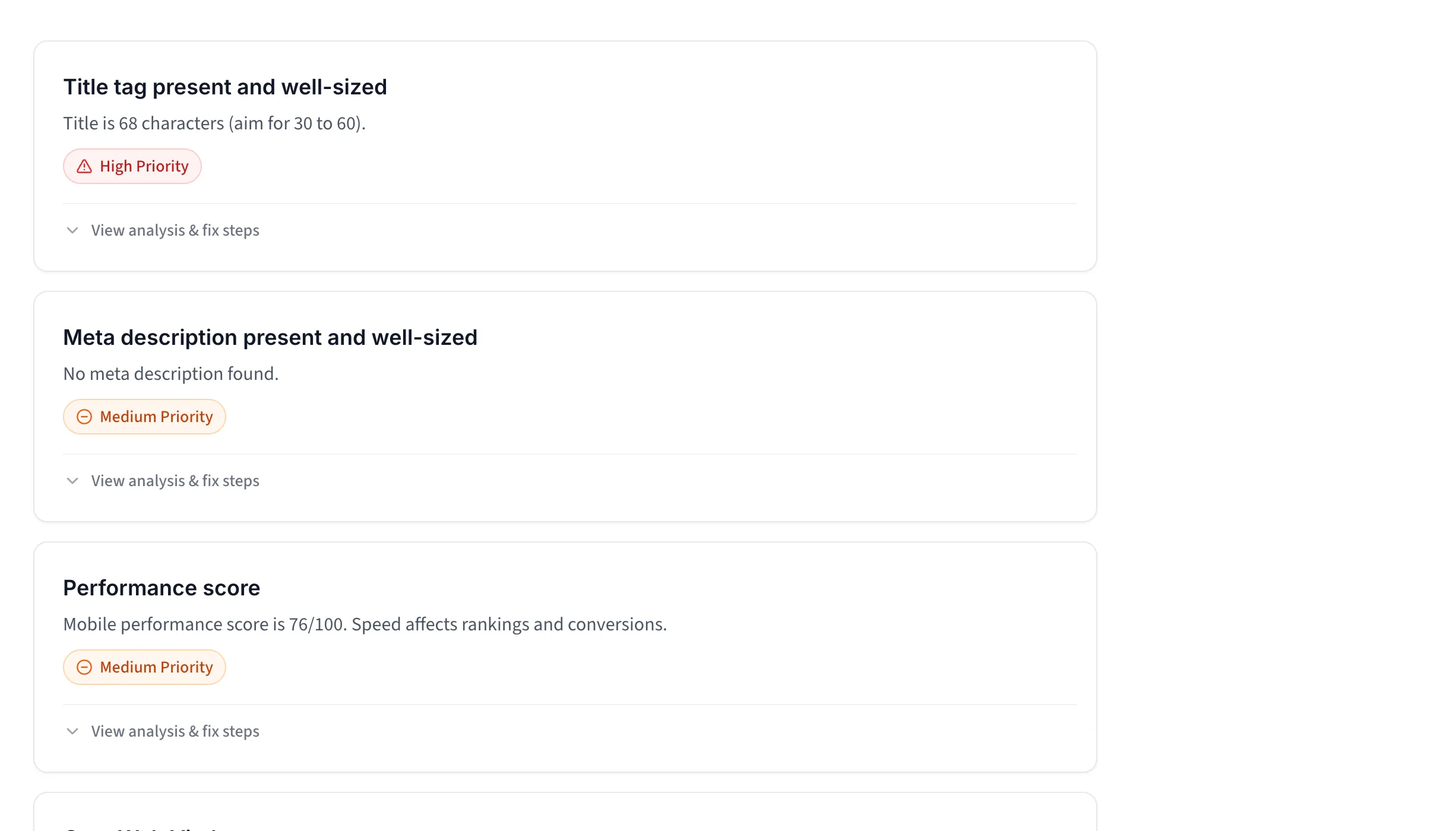
Title tag present and well-sized

Title is 68 characters (aim for 30 to 60).

Meta description present and well-sized

No meta description found.

Mobile viewport set

Mobile viewport meta tag is set.

Open Graph tags for social sharing

Only 2 of 3 core Open Graph tags are set.

On-page SEO: title tags, meta descriptions, and Open Graph

On Shopify the meta description stays blank until you fill the Search engine listing box, and the title defaults to the product name. We read what the storefront actually served, plus headings, links, and image alt text.

Shopify-Specific2/3 pass80

Default robots.txt rules intact

The standard Shopify disallow rules are still in place.

Theme outputs Product JSON-LD

No Product markup came from the theme.

Confirmed Shopify storefront

The products.json endpoint confirmed Shopify.

Shopify checks: robots.txt defaults and theme Product JSON-LD

Shopify's robots.txt blocks /cart, /checkout, and /account, and most themes print Product JSON-LD. A theme edit can quietly undo either, so we check both, and confirm the storefront through /products.json.

Technical & Speed2/4 pass61

Performance score

Mobile performance score is 58/100. Speed affects rankings and conversions.

Core Web Vitals

LCP 1.8 s, CLS 0.01, INP 79ms (real-user data for this page, last 28 days).

Text compression enabled

No text compression detected on the HTML response.

No mixed content

No insecure http resources detected.

Technical SEO: Core Web Vitals, HTTPS, and compression

Shopify runs its own CDN and image pipeline, so the ceiling is set by your theme and the apps you install. We measure what the storefront served.

Every issue with clear next steps

Every failed check comes with the fix for it, written for your Shopify admin.

Prioritized Shopify SEO findings shown as collapsed cards

Know what to fix first

Failed checks and warnings are ranked by impact, so you can focus on the changes most likely to help.

  • The issues most likely to hold the page back rise to the top.
  • Every card shows its status, priority, and finding.
  • Open any result for context, fix steps, and useful tools.
Run Shopify SEO Audit

Analysis

Most Shopify themes print Product structured data on product pages. We read this page and found no Product JSON-LD coming from the theme.

Why it matters

Without Product markup, Google cannot show price and stock beside your listing, so you forfeit rich results.

Target

Product JSON-LD with name, price, and availability

One source only. If an SEO app injects Product markup too, turn one of them off.

How to Fix

  1. 1. Run a product page through the Rich Results Test.
  2. 2. Update the theme, or add the Product snippet to the product template.
Recommended tools

JSON-LD for SEO — Adds JSON-LD structured data to Shopify product and store pages for rich results.

Rich Results Test — Checks which Google rich results your structured data qualifies for.

See what is wrong and how to fix it in Shopify

Each check explains what we found, why it matters, and the steps you can take next.

  • We explain the result in plain English and show you the affected part of the page.
  • Learn how the issue can affect search visibility, rich results, or the shopping experience.
  • Check the expected setup, value, or range before you make a change.
  • Get steps for Shopify admin and your theme, plus apps and tools when they can make the job easier.
Get my SEO score

How to audit your Shopify store

From a myshopify URL to a fix list you can work through in admin.

  1. 1

    Paste your store URL

    A myshopify.com address or your own domain. We confirm the storefront, read your robots.txt and , and run Google Lighthouse on the page.
  2. 2

    Read your SEO score

    An overall score plus a score per category, including a Shopify-Specific group for your robots.txt defaults and the Product JSON-LD your theme prints.
  3. 3

    Open every check

    Each check shows a pass, warning, or fail with what we found on that URL, like a title running past 60 characters or Product markup with no availability field.
  4. 4

    Fix it in your admin

    Issues are ranked by impact, and each one names where the change happens: the Search engine listing box, the product Media panel, your theme code, or an app.

Choose the audit for your next step

Start here for a free SEO snapshot. Run the full store audit when you want the whole conversion picture.

Shopify SEO audit

Free

Instant, single-page SEO check.
No signup.

  • Indexability, canonical, and robots.txt
  • Titles, meta, and Open Graph
  • Product schema and theme JSON-LD
  • Core Web Vitals (LCP, CLS, INP where available)
  • Prioritized, Shopify-specific fixes
  • How easy your store is to use and trust
  • How your cart and checkout work

You are using this free tool now.

Full Shopify store audit

Recommended
$19one time

An AI review running 80+ checks across your homepage, product pages, and cart.

  • SEO, UX and mobile, accessibility, speed, and trust
  • Homepage, product pages, and your real cart page
  • Your screenshot, a how-it-should-look mockup, and fix steps
  • Shopify app recommendations
  • Scored and ranked by priority
Run the full Shopify audit

Not on Shopify? The ecommerce SEO audit runs the same checks with platform-neutral fixes.

Questions, answered plainly

What Shopify handles for you, what it leaves to you, and which apps are worth the weight.

What does this Shopify SEO audit check?

We run 30+ checks across indexability (robots.txt, , canonical, noindex), on-page and meta (title, , Open Graph), content (H1, image alt text, ), structured data (Product, Organization, Breadcrumb), and technical health (HTTPS, Core Web Vitals). Three of them only run on Shopify: whether the default robots.txt disallows for cart, checkout, account, and filtered URLs are still in place, whether your theme prints Product JSON-LD, and whether the public products.json endpoint answers. For a manual run-through of the wider store, the Shopify audit checklist covers 32 items.

Is this a Shopify SEO checker or a full audit?

Both words fit. As a checker we read one URL and tell you what is wrong on that page right now, free and with no signup. As an audit we score every finding, sort it by priority, and give you the steps for your admin. What we are not is a crawler: we read the page you paste, not your whole catalog. For the whole store, the full Shopify store audit opens your homepage, a product page, and the real cart page.

Can you do SEO on Shopify?

Yes, and a fair share of it is already done. Shopify generates your , writes canonical tags, and serves a robots.txt that blocks cart, checkout, account, and filtered URLs before you touch anything. What it leaves blank is the part that ranks. The stays empty until you write it in the Search engine listing box, alt text stays empty until you add it in the product Media panel, and Product markup depends on how old your theme is. This audit shows which of those gaps sit on the page you test. For a hands-on walkthrough, see how to audit your Shopify store.

Should I use this or the full Shopify store audit?

Use this for a fast, free SEO-only snapshot of one URL. Run the full Shopify store audit when you want the bigger picture: 80+ checks across SEO and AI-search readiness, and mobile, content, accessibility, speed, and trust, scored and prioritized. This one finds the SEO gaps on a page. The store audit walks your homepage, a product page, and your real cart to find why visitors are not buying.

Which SEO tools or apps are best for Shopify?

It depends which check failed, which is the argument for running the audit first. If the theme Product JSON-LD check warns, a schema app such as JSON-LD for SEO or Schema Plus for SEO fills the missing fields. If titles and meta descriptions are the gap, Yoast SEO for Shopify or Smart SEO edit them in bulk instead of one product at a time. Alt text needs an image app, or ten minutes in the Media panel. Pick for the gap you have rather than stacking apps that overlap, because every app you install adds script weight to the storefront.

How do I check my Shopify store SEO myself?

Open a product page, view the source, and search for "@type":"Product" to see whether price and availability are in there. Then load /robots.txt and confirm the cart, checkout, account, and filter disallows survived, load /.xml, and open the Search engine listing box on a product and a collection to see whether the is still blank. Google Search Console and the Test cover the rest. Our 6-step Shopify audit process walks through it with free tools.

Which pages should I run this on?

Start with your homepage, a top collection, and a best seller. Each template carries different signals, and the theme Product JSON-LD check warns on any page where it finds no Product markup, so a product page is the one that proves it. Two Shopify habits are worth a second run. Collection pages split into ?page=2 and beyond, and each of those is a separate URL with its own title. And a product answers at both /products/handle and /collections/name/products/handle, so test the short one, since that is where Shopify points the canonical. The full Shopify store audit scans your homepage, a product page, and the real cart page automatically.

What is the difference between an SEO audit and a speed audit?

An SEO audit checks whether search engines can find, crawl, and rank your store: titles, meta, structured data, , and robots.txt. A speed audit checks how fast the page paints, through Core Web Vitals and render-blocking scripts, which on Shopify usually traces back to app embeds and a heavy theme. Both affect sales. SEO brings the traffic, speed helps turn it into orders. For the speed side, run our Shopify speed test.

Will fixing these issues improve my Google rankings?

Fixing technical and on-page gaps removes what can hold a store back, like a blank , a noindex left behind in theme.liquid, or Product markup with no availability field. Rankings also depend on content quality and links, so this is one part of the picture rather than a guarantee. The audit tells you which fixable gaps exist today.

Is this Shopify SEO audit free?

Yes, completely free, with no signup and no credit card. Enter your myshopify.com URL or your own domain and the full report loads on screen, with every check and a prioritized fix list. One thing to know: if the store still has a password on it, we read the password page instead of your storefront, so lift it before you test.
1,400+ stores audited

Want the full Shopify picture?

SEO is one layer of it. The free store audit also covers conversions, accessibility, mobile and trust signals.

Free preview  •  No credit card  •  Nothing to install