
SEO & AI
Review product data, indexability, metadata, and how search engines and AI tools understand the storefront.
We shop your WooCommerce store like a customer, from the homepage to a real cart, then show you the issues and clear steps to fix them. 1,450+ stores audited.
Free preview • No credit card • Nothing to install • Results in ~3 min
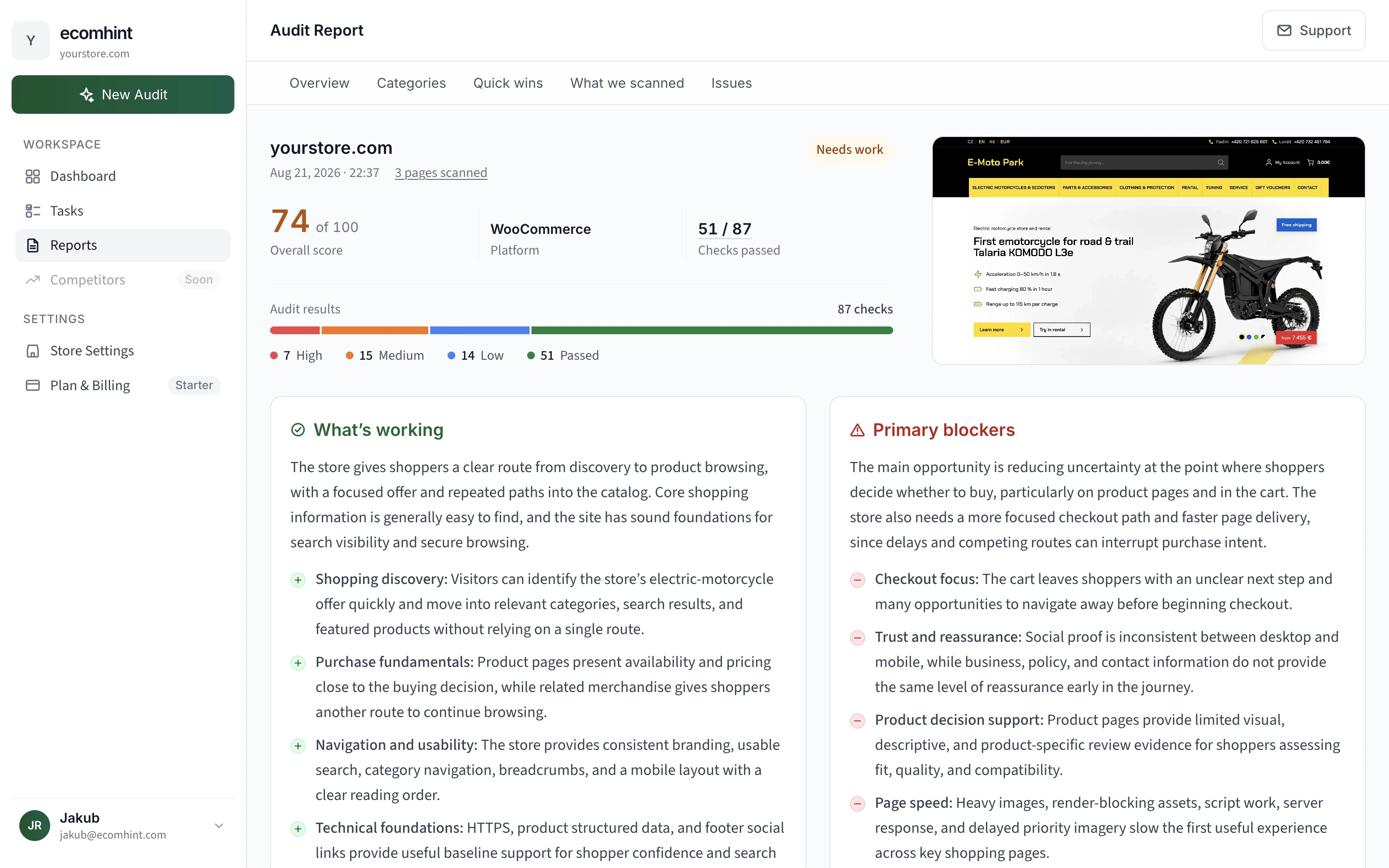
We go all the way to the cart, on desktop and mobile, and check everything on the way.
One screen tells you how the store is doing and which fix to start with.
Every issue comes with proof from your store and the steps to fix it.

When useful, the report points to WordPress or WooCommerce settings, your theme, or a relevant plugin. Some findings also include a visual example of how the fix could look.
Quick wins come first. With a subscription, everything else becomes one ranked task list, so nothing slips.

Fix something, run the audit again, and the score tells you if it worked.
Three steps from your store URL to a list of what to fix first.
Start with your homepage link. We find your product pages and cart on our own, so there is nothing to install or connect.
We check desktop and mobile, from the first page to a real product in the cart. The audit looks for slow pages, unclear buying information, missing trust signals, accessibility barriers, and more.
Browse all 80+ checksYour report opens with the changes that matter most. Each issue then shows the evidence and fix steps for WordPress, WooCommerce or your theme, plus a plugin when one helps.
Six scores show which part of the store needs you most, so your time goes where it counts.
An example report. Trust & Legal at 54 is the area to look at first.
Review product data, indexability, metadata, and how search engines and AI tools understand the storefront.
Find slow WooCommerce pages, heavy media, theme assets, and public scripts that make browsing feel harder.
Reveal friction across navigation, product pages, buying actions, and the real cart journey.
Check policies, contact details, payment reassurance, reviews, and other trust signals shoppers look for.
Spot contrast, label, text and interaction barriers on desktop and mobile.
Confirm HTTPS, mobile setup and the other public signals that keep the storefront secure and crawlable.
Get evidence from your storefront, clear priorities and step-by-step fixes, all in plain English.
| What matters | Ecomhint | Traditional agency |
|---|---|---|
| Price | Try it free. Pay $19 once or $29/month. | Usually $2,000–$10,000 for one audit |
| Time to results | A few minutes | Around 1–4 weeks |
| What you get | An interactive report with WooCommerce store evidence, quick wins and ranked priorities | A report or presentation delivered at the end |
| Fixing the issues | Step-by-step fixes and WooCommerce plugin suggestions when useful, with tasks in Full Access | Your team turns recommendations into a project plan |
| Tracking progress | With a subscription, re-audit after your changes and see which fixes held | Progress usually needs another review or ongoing support |
Agency prices and timelines are estimates and vary by scope.
See your store score before you spend anything. Unlock one report or keep checking your progress as you make fixes.
See the big picture before you decide whether to unlock every detail.
One complete report for a single audit. No subscription.
The unlock applies to one specific audit report
Price includes any applicable tax.
Audit any store you run, and keep improving it with every change you make.
14-day money-back guarantee
Price includes any applicable tax.
Need a second opinion from a CRO expert? Ask about Expert Audit & Consulting.
Straight answers about what we check, WooCommerce themes and plugins, store safety, pricing, and what happens after the report.
Still unsure? Ask us anything.
Research and how-to guides for finding what costs you sales and fixing it.

A WooCommerce store audit, step by step: check store health, speed, SEO, the path to checkout, and security, then rank the fixes by impact.

A prioritized WooCommerce speed guide: hosting and PHP, HPOS, caching, images, database, and front-end, in the order that actually makes your store fast.

WooCommerce covers only the SEO basics by default. This 10-step technical checklist shows what WordPress, the plugin, and you each handle.
We check your WooCommerce store the way shoppers use it and show you where to start.
Free preview • No credit card • Nothing to install